Sign into Safe365 Web Portal using Microsoft

Written by Cameron Arney
Updated at August 17th, 2026
Table of Contents
Sign in to the Safe365 web portal using your Microsoft account.
IT Approval May be Required
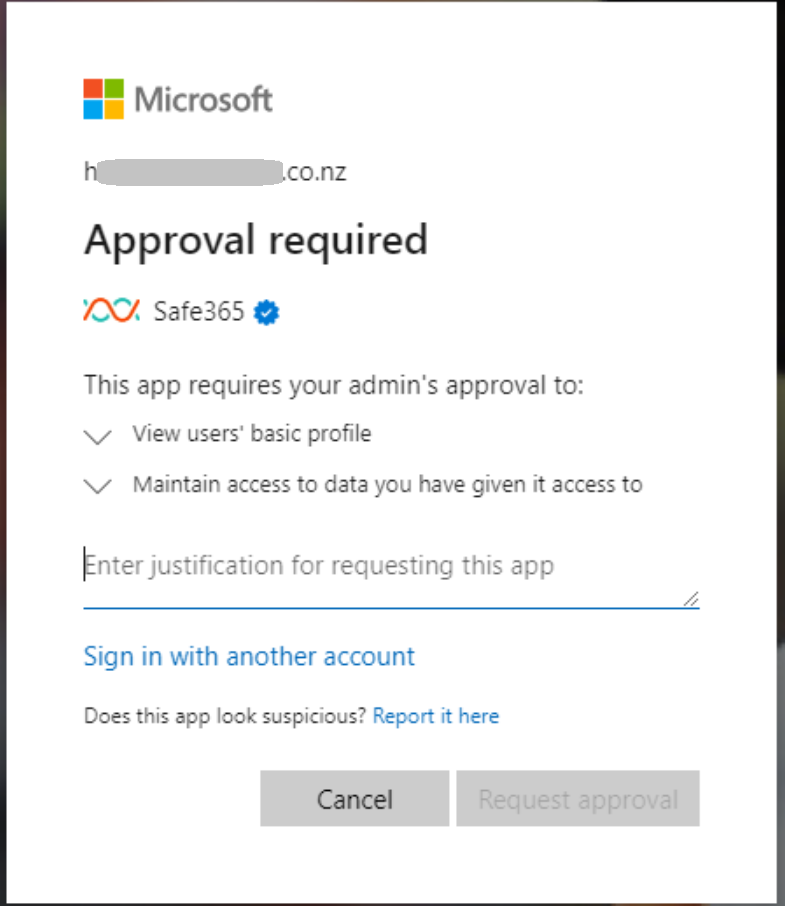
You may need to have your IT team approve using your Microsoft account to log into Safe365. If you see the below ‘Approval Request’, complete the form. This is sent to your IT manager. They will need to approve this before you will be able to log in using your Microsoft Account.
To Sign in using Microsoft:
- Head to the Login Page
- Click ‘Sign in with Microsoft’.
- Follow the Microsoft Login Prompts steps, including any two-factor authentication required.